BEGIN:VCALENDAR
VERSION:2.0
PRODID:-//sebbo.net//ical-generator//EN
NAME:Delaware County District Library
X-WR-CALNAME:Delaware County District Library
BEGIN:VEVENT
UID:fec1702a-6fef-4ace-9f43-7ebdb3dbb46b
SEQUENCE:0
DTSTAMP:20260927T200858Z
DTSTART;TZID=America/New_York:20240918T173000
DTEND;TZID=America/New_York:20240918T183000
SUMMARY:Testing and Preparing New Laser Materials
LOCATION:Delaware Maker Studio\nDelaware Maker Studio
X-APPLE-STRUCTURED-LOCATION;VALUE=URI;X-ADDRESS=Delaware Maker Studio;X-AP
PLE-RADIUS=10;X-TITLE=Delaware Maker Studio:geo:40.2997201,-83.0649131
GEO:40.2997201;-83.0649131
DESCRIPTION:Learn how to test new materials on the laser cutter for best r
esults..\nhttps://delawarelibrary.libnet.info/event/11620520
X-ALT-DESC;FMTTYPE=text/html:When using a new material\, it is vital to
do testing to learn the settings for that item for the best-looking resul
ts.
\nMaker Studio training materials provide many settings for the
materials we have on-site at the Maker Studio. However\, if you were to br
ing your own\, this class will teach you how to run the necessary tests to
ensure your design comes out the way you intend.
\n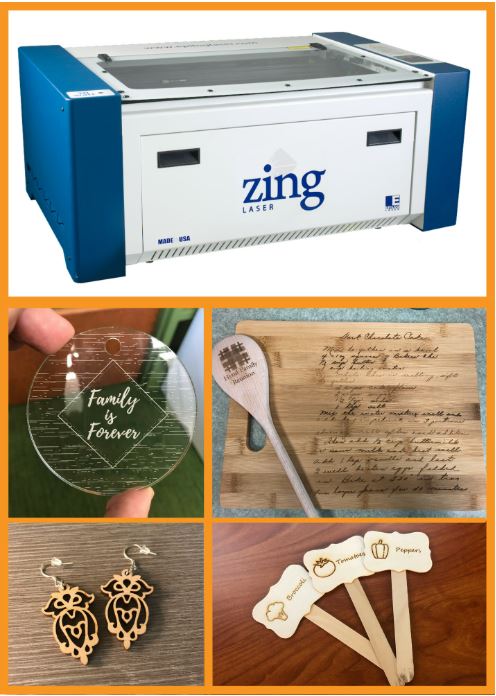
\nhttps://delawarelibrary.libnet.info/event/1
1620520
URL;VALUE=URI:https://delawarelibrary.libnet.info/event/11620520
ATTACH:https://static.libnet.info/images/events/delawarelibrary/Maker-Stud
io-Button.png
END:VEVENT
END:VCALENDAR