BEGIN:VCALENDAR
VERSION:2.0
PRODID:-//sebbo.net//ical-generator//EN
NAME:Delaware County District Library
X-WR-CALNAME:Delaware County District Library
BEGIN:VEVENT
UID:10a1a5fb-ed70-4de3-a2f7-3e38b1a2d301
SEQUENCE:0
DTSTAMP:20260921T010405Z
DTSTART;TZID=America/New_York:20241016T173000
DTEND;TZID=America/New_York:20241016T190000
SUMMARY:How to Create an Embroidery Pattern
LOCATION:Delaware Maker Studio\nDelaware Maker Studio
X-APPLE-STRUCTURED-LOCATION;VALUE=URI;X-ADDRESS=Delaware Maker Studio;X-AP
PLE-RADIUS=10;X-TITLE=Delaware Maker Studio:geo:40.2997201,-83.0649131
GEO:40.2997201;-83.0649131
DESCRIPTION:In this how-to session\, we'll look at the process of creating
a design for use with the embroidery machine. There is no hands-on portio
n of the class..\nhttps://delawarelibrary.libnet.info/event/11884834
X-ALT-DESC;FMTTYPE=text/html:To show the process of creating an object
on the embroidery machine\, we'll walk everyone through the complete desig
n process. Using the Hatch Embroidery software\, we'll cover the different
ways you can create a design for your project's needs. From converting im
ages\, creating from scratch\, or just using text\, we'll look at some of
the ways you can get started creating your own patterns.
\n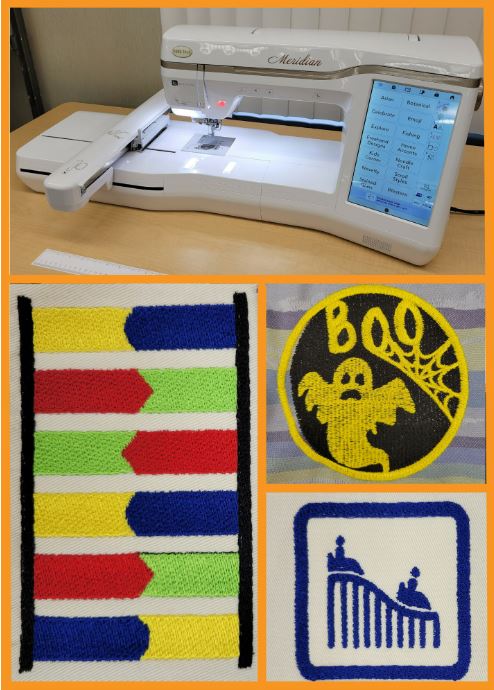
\nhttps://delawarelibrary.li
bnet.info/event/11884834
URL;VALUE=URI:https://delawarelibrary.libnet.info/event/11884834
ATTACH:https://static.libnet.info/images/events/delawarelibrary/Maker-Stud
io-Button.png
END:VEVENT
END:VCALENDAR