BEGIN:VCALENDAR
VERSION:2.0
PRODID:-//sebbo.net//ical-generator//EN
NAME:Delaware County District Library
X-WR-CALNAME:Delaware County District Library
BEGIN:VEVENT
UID:974c556b-eaca-4b57-a6d3-93f004c7c8f0
SEQUENCE:0
DTSTAMP:20261026T051223Z
DTSTART;TZID=America/New_York:20241106T130000
DTEND;TZID=America/New_York:20241106T140000
SUMMARY:How to Create an Embroidery Design
LOCATION:Delaware Maker Studio\nDelaware Maker Studio
X-APPLE-STRUCTURED-LOCATION;VALUE=URI;X-ADDRESS=Delaware Maker Studio;X-AP
PLE-RADIUS=10;X-TITLE=Delaware Maker Studio:geo:40.2997201,-83.0649131
GEO:40.2997201;-83.0649131
DESCRIPTION:In this how-to session\, we'll look at the process of embroide
ring a design from the creation of the design to the completion of the pro
ject. There is no hands-on portion of the class..\nhttps://delawarelibrary
.libnet.info/event/12037897
X-ALT-DESC;FMTTYPE=text/html:To show the process of creating a design f
or the embroidery machine\, we'll walk everyone through the various method
s of using the Hatch Embroidery software. Whether importing an image to co
nvert to a pattern\, or creating it by hand from scratch\, we'll cover the
different approaches to creating a pattern to embroidery. There is no han
ds-on portion to the class\, but learners are welcome to come with ideas a
nd ask plenty of questions.
\n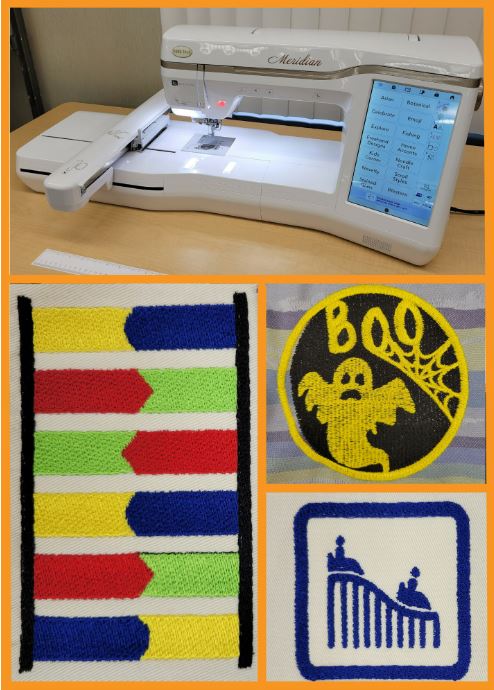
\nhttps://delawarelibrary.libnet.info/event/12037897
URL;VALUE=URI:https://delawarelibrary.libnet.info/event/12037897
ATTACH:https://static.libnet.info/images/events/delawarelibrary/Maker-Stud
io-Button.png
END:VEVENT
END:VCALENDAR