BEGIN:VCALENDAR
VERSION:2.0
PRODID:-//sebbo.net//ical-generator//EN
NAME:Delaware County District Library
X-WR-CALNAME:Delaware County District Library
BEGIN:VEVENT
UID:239fff24-2ae4-4047-8492-732f28e2e4cb
SEQUENCE:0
DTSTAMP:20260724T084947Z
DTSTART;TZID=America/New_York:20250416T153000
DTEND;TZID=America/New_York:20250416T163000
SUMMARY:How to Cut and Prepare a Cricut Project
LOCATION:Delaware Maker Studio\nDelaware Maker Studio
X-APPLE-STRUCTURED-LOCATION;VALUE=URI;X-ADDRESS=Delaware Maker Studio;X-AP
PLE-RADIUS=10;X-TITLE=Delaware Maker Studio:geo:40.2997201,-83.0649131
GEO:40.2997201;-83.0649131
DESCRIPTION:We'll look at how to prepare and create a project using the Cr
icut vinyl cutter..\nhttps://delawarelibrary.libnet.info/event/13256158
X-ALT-DESC;FMTTYPE=text/html:The Maker Studio has a Cricut Maker 3. We
use this primarily as a vinyl cutter which can create simple single color
designs for both adhesive and heat transfer applications. This class will
look at the process of going through Design Space\, Cricut's design softwa
re\, and prepare a design\, cut that design out\, then weed and finish up
the final product.
\n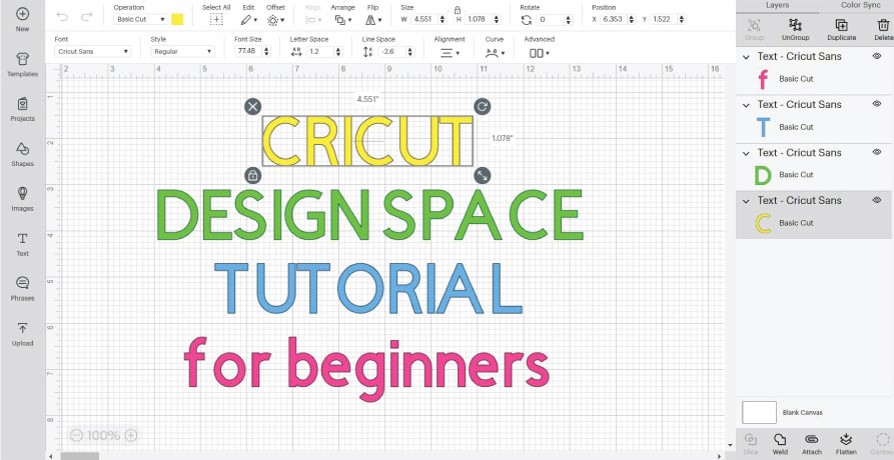
\n
\nhttps://delawarelibrary.libnet.info/event/132
56158
URL;VALUE=URI:https://delawarelibrary.libnet.info/event/13256158
ATTACH:https://static.libnet.info/images/events/delawarelibrary/Maker_Stud
io.png
END:VEVENT
END:VCALENDAR