BEGIN:VCALENDAR
VERSION:2.0
PRODID:-//sebbo.net//ical-generator//EN
NAME:Delaware County District Library
X-WR-CALNAME:Delaware County District Library
BEGIN:VEVENT
UID:eea6578e-feaa-4f3f-ab3d-6ddad26c6d5d
SEQUENCE:0
DTSTAMP:20261004T182405Z
DTSTART;TZID=America/New_York:20240306T103000
DTEND;TZID=America/New_York:20240306T113000
SUMMARY:How To Design an Outdoor Banner
LOCATION:Delaware Maker Studio\nDelaware Maker Studio
X-APPLE-STRUCTURED-LOCATION;VALUE=URI;X-ADDRESS=Delaware Maker Studio;X-AP
PLE-RADIUS=10;X-TITLE=Delaware Maker Studio:geo:40.2997201,-83.0649131
GEO:40.2997201;-83.0649131
DESCRIPTION:In this How To session we'll look at the process of creating a
custom outdoor banner. From the creation of the design to the completion
of the project. There is no hands-on portion to the class..\nhttps://delaw
arelibrary.libnet.info/event/9998764
X-ALT-DESC;FMTTYPE=text/html:To show the process to creating a custom b
anner for outdoor display\, we'll demonstrate the different approaches you
can take to creating a design and how to get the banner then printed. The
goal with this demonstration is to introduce the entire process from star
t to finish to give you a sense of what's required to do this yourself.
\n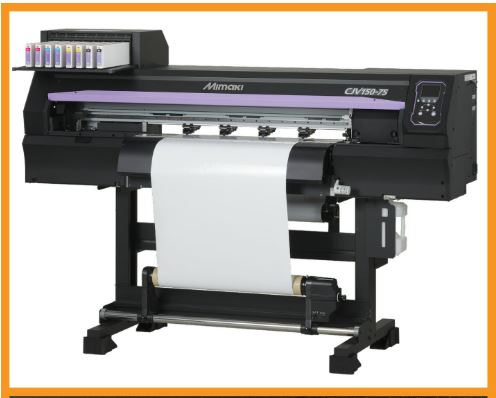
\nh
ttps://delawarelibrary.libnet.info/event/9998764
URL;VALUE=URI:https://delawarelibrary.libnet.info/event/9998764
ATTACH:https://static.libnet.info/images/events/delawarelibrary/Maker-Stud
io-Button.png
END:VEVENT
END:VCALENDAR